

RESOURCE ● BLOG ●
RESOURCE ● BLOG ●
How to:
not freak out when you see aN ALPHA THETA PIONEER DJM-V10 MIXER
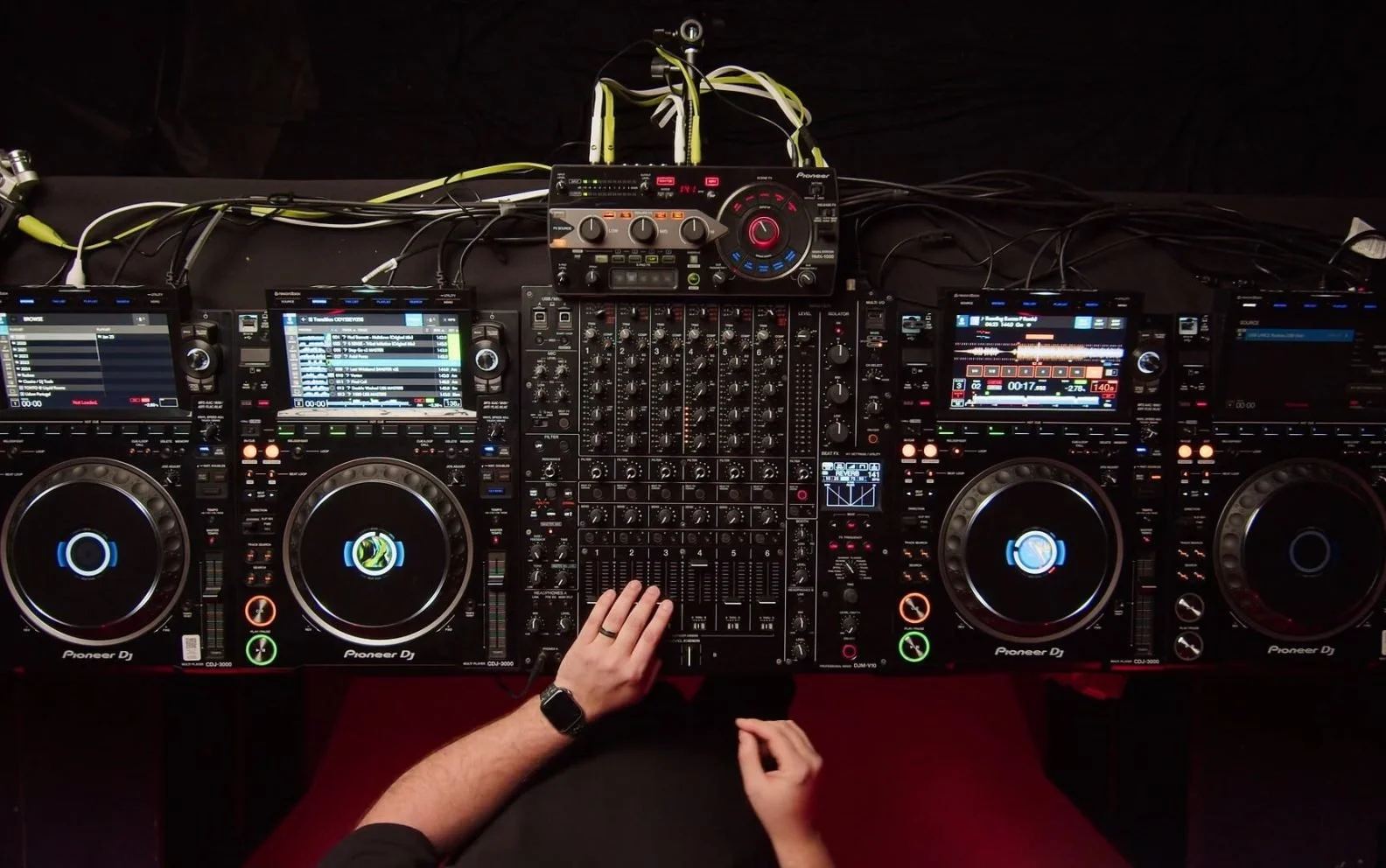
The V10 has a reputation. You walk up to the booth, see six channels and a face full of knobs, and if you've only ever played on a two-channel setup at home your stomach drops. Take a breath, because the DJM-V10 looks like far more than it actually is. Underneath the intimidating layout it's the same job as any Pioneer mixer — it just gives you a load of extra options you don't have to touch.
The first thing that calms it down: you're almost certainly playing off two channels, not six. Find the two your decks are actually plugged into, and everything else on the board is just sitting there — ignore it. A channel is a channel, wherever it is on the mixer: fader, EQ, gain, cue. That's the whole thing you need to operate. The other four channels being there doesn't change how you play the two in front of you.
Then there's the stuff that looks scary and mostly isn't. The V10 was Pioneer's first mixer with a 4-band EQ, which just means the mids are split into a hi-mid and a low-mid — you can use it exactly like a normal 3-band and never miss the extra band. The per-channel compressor, the dedicated filter and the send FX are all optional. Leave them flat and off and the V10 behaves like any standard club mixer. Nothing on there forces you to use it. The dual headphone outputs are for playing back-to-back, not another thing to worry about solo.
So the move is simple. Get to the booth early, find your two channels, set your cue, and check the last DJ didn't leave a filter or an FX engaged on the channel you're taking — that's the one genuine gotcha on a board this loaded. Then play like you would on anything. Once you're settled and the set's flowing, that 4-band EQ and those filters are genuinely fun to explore, and that's when the V10 earns its reputation as a creative mixer. But you reach for the extras when you're comfortable, not when you're panicking at the start of a set. Keep it simple first, get clever later.
THE CHECK LIST

Take a breath — the V10 is the same job as any mixer, with extras you can ignore
Find the two channels your decks are actually plugged into and ignore the rest
Treat each channel the same: fader, EQ, gain, cue
Know the 4-band EQ just splits the mids — use it like a normal 3-band if you want
Leave the compressor, filters and send FX off until you're settled
Check the last DJ didn't leave a filter or FX engaged on your channel
Explore the creative extras once the set's flowing, not at the start
DID YOU KNOW?
Nothing builds gear confidence like playing on real club setups when it counts. The Back2Back DJ Battle accelerator puts you on pro gear in front of a live crowd, so unfamiliar mixers stop rattling you and start feeling like home.
Find yourself in the artist journey map and find out how to get involved!
Where Are You At
With Your Music?
Take the quiz. Get matched to opportunities & the right support — based on where you actually are, not where you think you should be.
Platforming artists to pursue their music dreams — no gatekeeping.
Discover → Develop → Launch → Fly
What do you do?
How long have you been doing it?
Have you played or put music out publicly yet?
Is your social media working for your music?
What's your biggest challenge right now?
Here's your path.
Subscribe to The Drop — free weekly round-up of gigs, opportunities and resources. Every Wednesday. No spam, no filler.